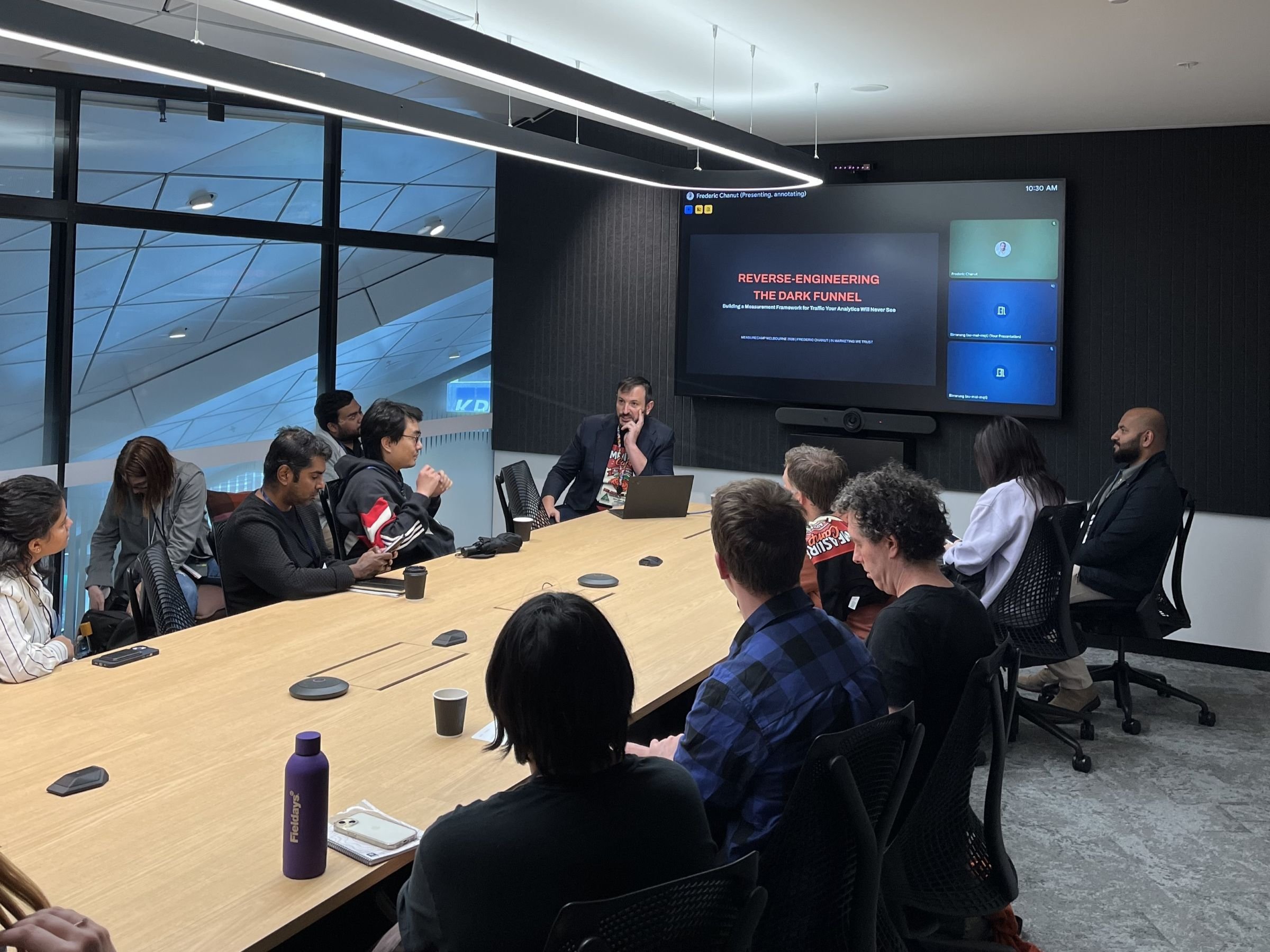

Last month (May 2026), Benoit Weber, Head of Analytics at In Marketing We Trust, spoke at both MeasureSummit and Data & Analytics Wednesday Sydney on the new BigQuery Conversational Agents. Benoit walked through what they are, how they work under the hood, where they go wrong, and when they’re worth choosing over just asking an LLM. If you missed it, you can watch the full session below.

BigQuery Conversational Agents Talk
BigQuery Conversational Agents are transforming analytics from traditional SQL-heavy workflows into natural language exploration. Rather than functioning as simple chatbots, these agents act as governed workflows that allow users to query data in plain English while automatically generating and executing SQL.
Benoit emphasises that their effectiveness depends on strong foundations, including “golden” verified queries, robust metadata, and clearly defined glossaries to avoid semantic drift, while also offering a practical reality check around risks such as misinterpretation, uncontrolled query costs, and lack of governance.
Using his “Google Tag Manager Judge” agent as an example, Benoit will demonstrate how to design controlled and reliable AI behaviours. The key takeaway: success with conversational analytics depends less on prompting and more on rigorous governance and well-defined data foundations.
Watch Benoit’s Full Talk on BigQuery Conversational Agents
Full Transcript
Introduction
Hi everyone, thanks for joining today. My name is Ben, and today we’re going to talk about query agents. This is the third time I’m talking to Measure Summit and I really want to thank the team for inviting me again. I hope you enjoy the session.
About Me
I am working as the Head of Analytics at In Marketing We Trust. It’s been 10 years now. I’ve been working across multiple global brands across the world. I’m really passionate about data, Google Analytics, Google Tag Manager, and I’ve recently been exploring and learning about Google Cloud Platform. Hence my talk today.
BigQuery Conversational Analytics Agents
So what are we going to cover today? We’re going to talk about the new feature in BigQuery and the release at the end of January, I believe which is BigQuery conversational analytics agents that you can set up in the platform. We’re going to start with looking at what it is, see how it works, and do a bit of a reality check, what’s not so good about it. I will show you an example of one of the agents that I built myself, and we’ll finish with a comparison between LLMs and agents.
What Conversational Analytics Means in BigQuery
So, what are we talking about? Agents have been appearing in a lot of tools, and BigQuery has released this new feature. The objective of the agent is to give access to the data and to simplify the access of the data. Basically, what you would be able to do is ask your question in plain English and then your engine will interpret what you said, generate the query that is equivalent to your question, run the query against your data set and then provide an answer in different formats.
BigQuery is Becoming Interactive
So why now? Why is BigQuery becoming interactive? We see a shift from being a storage and SQL tool to more of a guided exploration. We have this need from the teams to be able to self-serve themselves without having the need of a tech team. The LLMs are also helping us break that last border between the complex schema of the data and the business logic. But everything relies on one big foundation – you need good data. And in addition to this, you also need better governance, better description, better metadata.
The Promise (and the Trap): Time-to-Insight Drops
Their promise is to have faster exploration for people like marketers or analysts that are less technical and also having less requests coming from people to the tech team. But the trap is if definitions are weak or if data is not good, you will have bigger problems later.
The BigQuery Agent Reality
You have this shiny side of things, the agent, the UI, the chat where you can ask anything you want and then the system figures out – very easy to use. But there is the reality of it, and unless you have proper configuration with the right governance, the right glossary terms defined, a list of verified queries and good data, your agent is going to be as good as your configuration is. So the risk is to have bad agents answering questions but giving you the wrong answers.
Double-Edged Sword: Access vs Risk
This is a double-edged sword. The more access you give to people, the more risk you will have. More people can query the data, obviously, but more people can also misread the data. So for me, guardrails are really not optional. Governance should be part of the way you’re going to design this agent.
How the Magic Works
Conversations + Data Agents (Under the Hood)
So how does the magic work? You have two layers. You have the data agents – the first layer, the wrapper, the configuration and the data and how questions are going to be interpreted. And then you have the conversation – this is where you open a new chat and ask the question, and this is where you get interactive with the agent.
What Happens When You Ask a Question?
You will ask a question like “how much traffic did we get last week”, and then the system will proceed through different steps. First, it’s going to choose the table that is most relevant to your question. Then it’s going to generate an SQL query and execute it. Then it’s going to give you the results plus some interpretation. You can also inspect the SQL to confirm the logic and confirm the amount of data that you are processing.
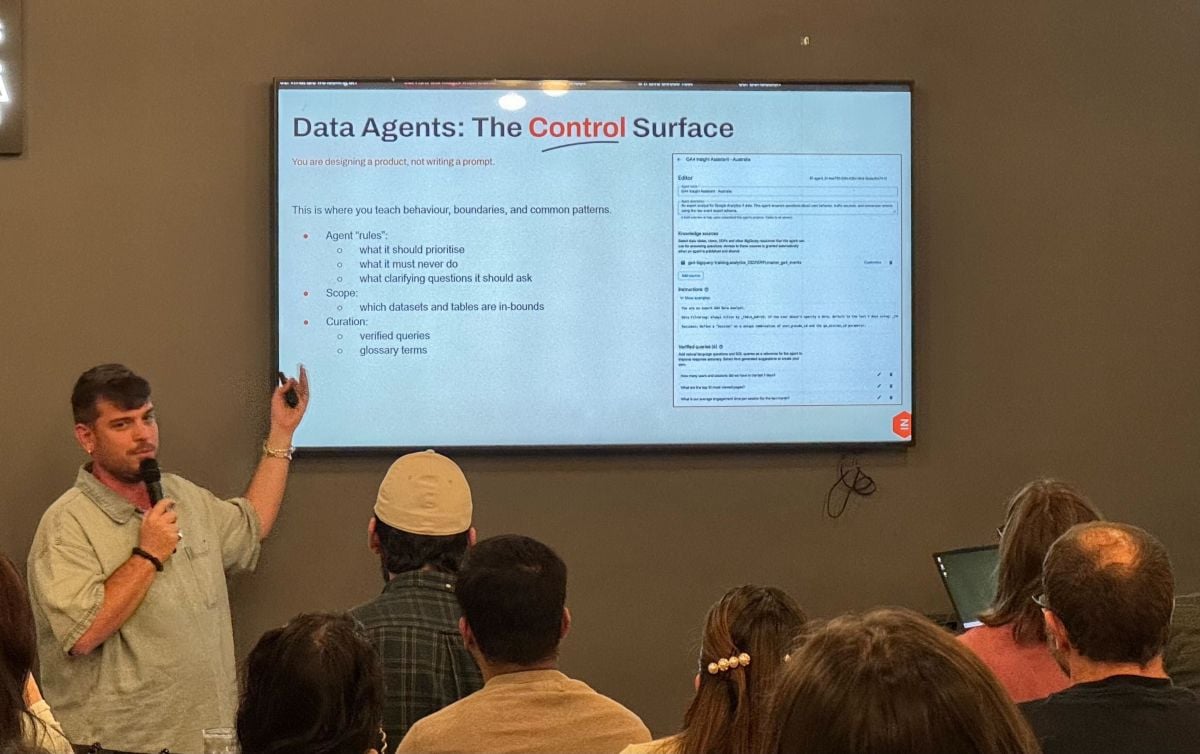
Data Agents: The Control Surface
Let’s go into the control surface – how you configure your agents. The first is what you would call the agent rule, which is that you give it directions on what it should do, what it should never do, and what clarifying questions it should ask. You will have the scope – this is where you can share your different data sets. And then you have verified queries, which is very important. And then the glossary term, which is where you’re going to define what is what and how to interpret.
Verified Queries or “Golden Queries”: Your Safety Rails
So what are the verified queries, or what we would call golden queries? It’s really your safety rails. The way I build my agents is as I’m doing some exploration and defining the queries I want to answer, I generate those SQL queries that I will use as golden queries for my agent. By doing this, it’s going to help me get some consistency in the answers.
Glossary Terms: The Only Cure for Semantic Drift
The other very, very important set of configurations is what we call the glossary terms. Terms like user, new user, active user, session, visitor, visit – we need to make sure that when we talk to the agent and refer to one of these words, it will know how to interpret it. It’s very, very important not only to have clear descriptions and names of all the tables and data sets, but also including definitions of terms and adding some context.
BigQuery Machine Learning in the Conversation Flow (Useful but Dangerous)
They also include machine learning in a conversation flow. You can use functions like AI.FORECAST or AI.GENERATE. I haven’t used those features personally yet, but I see the potential danger of it. Giving powerful features to people that are not aware of how to use them properly is for me very dangerous.
Reality Check
Failure Mode 1: Confident Misinterpretation
Now, the reality check: the three ways I think this can go wrong. The first is confidence. If we ask an ambiguous question with terms that the agent doesn’t understand, we will have an ambiguous SQL query that will give us a result that will be misinterpreted and that will lead to a bad decision. The power of an agent is not so much on the questions we ask, but more on the configuration.
Failure Mode 2: Too Much Power
The second issue is power. I do believe that not everybody should have access to everything. With agents, we are opening the doors to even more people that maybe shouldn’t have access to data that hasn’t been cleaned and prepared. So one of the things I thought about a lot when creating my agent is to make sure my agent has enough context, terms, glossary, and golden queries to limit the questions and the answers it can give.
Failure Mode 3: The Price Trap
And then the last point is the price trap. This is a chat so people can just talk and ask, but you have to make sure that you don’t end up querying years and years of data and terabytes of data because cost is associated to the amount of data that you are querying. Make sure that you have default periods – if the user is not saying anything, my agent will consider just the last week or the last month. You can also configure the maximum amount of bytes and at the GCP project level make sure that you have billing alerts.
Live Stress Test of BigQuery Conversational Agents
Google Tag Manager Judge
Now I’m going to show you one of the agents that I’ve done. So I built what I called a Google Tag Manager Judge. The idea was to automate some of the audits that I was doing on Google Tag Manager. Using Cloud Run, I created a Python script that extracts my GTM container – all the tags, triggers and variables – and stores that into BigQuery. Then I created the SQL queries myself using Gemini directly in BigQuery. Once I validated them, I saved them in a table so my agent could refer to all the queries with their associated golden query.
Then I moved into the configuration of my agent itself. I gave it a name, description, and the rules – things like what it can do, what it cannot do, and the process it had to follow. For my golden queries, instead of uploading every single query, I linked to my table that contains all my queries. When the user starts using the agent, the first thing it will ask is which client, and then it will replace the variables in my queries. The more control I have on the data and the more governance I put in there, the more I control my agents and the answers it’s going to give me.
Final Boss
Agent vs “Just Ask an LLM to Write SQL”
The final boss – why would you bother creating agents? I was asking myself why would I need agents when you have LLM-like capabilities directly in BigQuery, or you can go to ChatGPT or Gemini, give a prompt and the schema of your table and it would build the SQL query you want. What I think is interesting with the agent is how much constraint we can put – we limit the data it can use, we limit the type of answers by providing golden queries, and we can share it across different clients or teams. But for me the LLMs are a very good support for exploration and validation. I would use Gemini to set up the actual agent before you use the agent.
Conclusion
This is the conclusion. Giving access to agents to teams will ultimately provide more access to data in general and remove that bottleneck of the tech teams. But ultimately, you will need analytics engineering behind it, because setting up the agents needs setting up all the definitions, having better governance, having a better, clean dataset to ensure that when we ask the question we have the right answer.
And for me, looking at the future, I do think that the winners are not going to be the teams with the best prompts – they’re going to be the teams with the best definitions, the best queries and the best governance. Thanks for attending the session today.